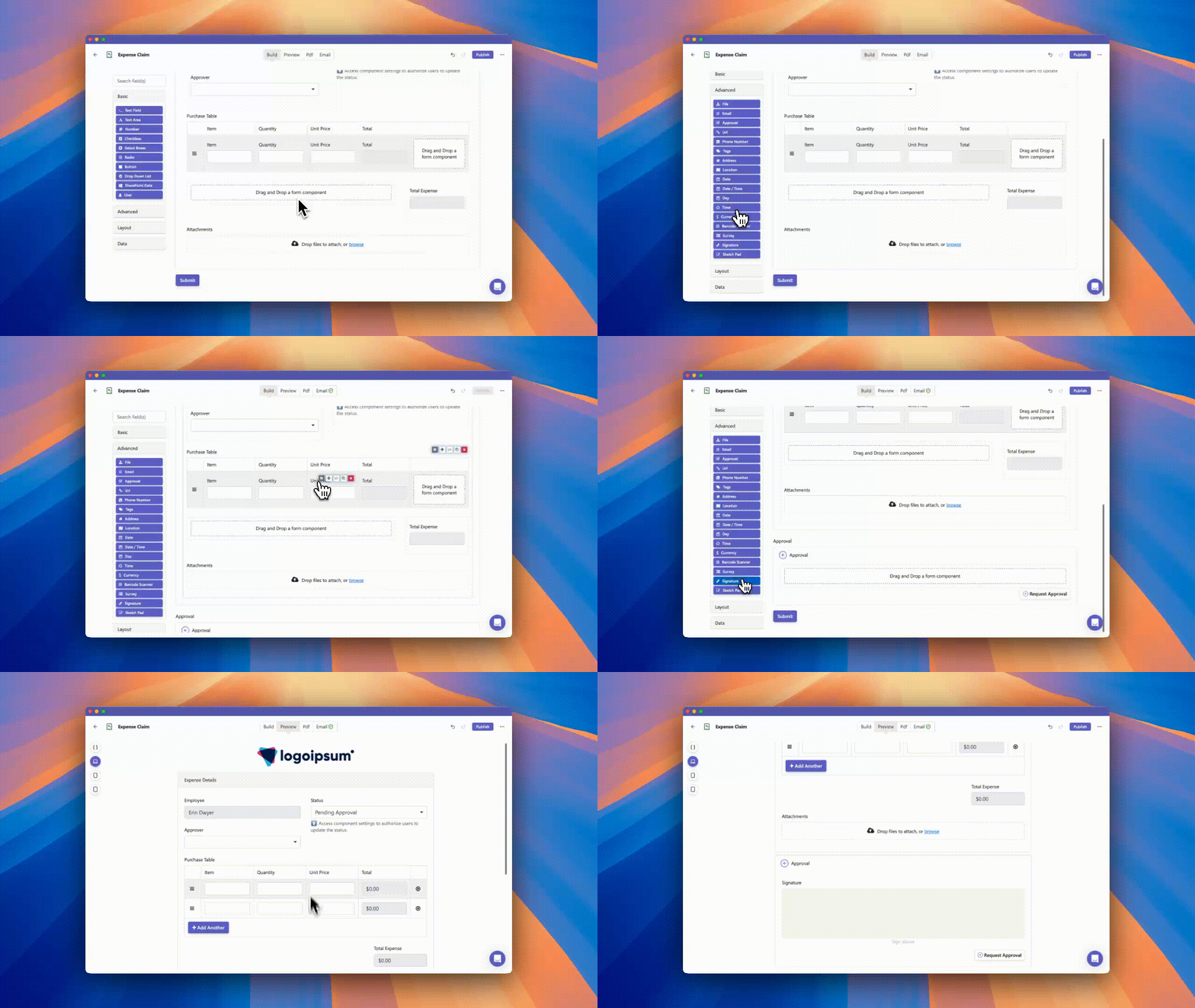
We are thrilled to announce the release of our new Approvals Component for Team Forms. We know that managing multi-step sign-offs can be complicated, so we have rebuilt the experience to streamline how you build and manage workflows.
From simple leave requests to complex operational sign-offs, the new Approvals Component handles it all with ease.
Key Features:
🔗 Drag-and-Drop Workflow Building: Gone are the days of wrestling with complex If/Else statements in your email configurations. You can now configure multi-step approvals by simply adding approval blocks and chaining them together using the "Depends On" setting.
✉️ Complete Communication Control: Customize specific email templates for every stage of the process—requesting, approving, rejecting, or even revoking an approval.
📝 More Than Just "Yes or No": Team Forms enables you to include entire forms within each approval section. Instead of a simple button click, you can require an approver to provide detailed input, such as uploading a document or adding a signature before the workflow proceeds.
🧠 Smart Conditional Logic: Need an approval only if a request exceeds a certain budget? You can set conditional approvals based on responses to specific questions in the original submission.
🔒 Submission Locking: To ensure data integrity, the original submission is automatically locked against edits once the approval process begins.
✅ Visibility & Compliance: View the approval status directly on the submission screen and rest easy knowing every step is fully tracked for auditability.